Featured Articles
Dissolution Profile Comparison: F1 and F2 Calculation in Excel
Learn how to calculate the f1 and f2 factors for dissolution testing! This article explains how to do that using mathematical equations and also using a free Excel template. Read full article
Articles by Category
Pharmaceutical Analysis
Two statistical concepts, confidence intervals and prediction intervals, play distinct roles in understanding the variability of data and making informed decisions. This article explores the differences between these intervals and discusses their relevance in specification setting for pharmaceutical products.
GraphPad, a renowned software platform, has emerged as a powerful and user-friendly tool for graphing and statistical analysis. In this article, we will explore the multifaceted utility of GraphPad in the pharmaceutical sector.
In GMP, documentation is important. Your Excel spreadsheet should be created and maintained following good documentation processes. Read the following tips that you can follow in order to guarantee data precision and adherence to regulations.
Scientists often spend countless hours manually creating graphs to visualize and interpret their data. An automated dissolution graph builder in Excel simplifies the process of creating dissolution graphs.
Setting reliable and appropriate specifications for dissolution testing is essential for ensuring that the drug product is consistent in quality and performance.
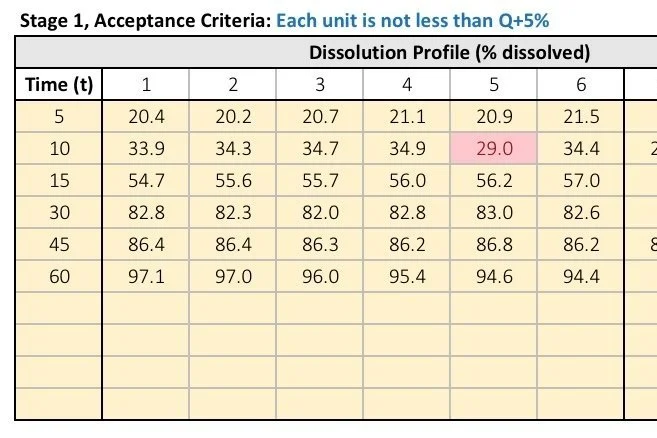
Learn how USP <711> dissolution stage testing works, including Stage 1, Stage 2, and Stage 3 acceptance criteria. Includes Excel calculator template for automatic pass/fail evaluation
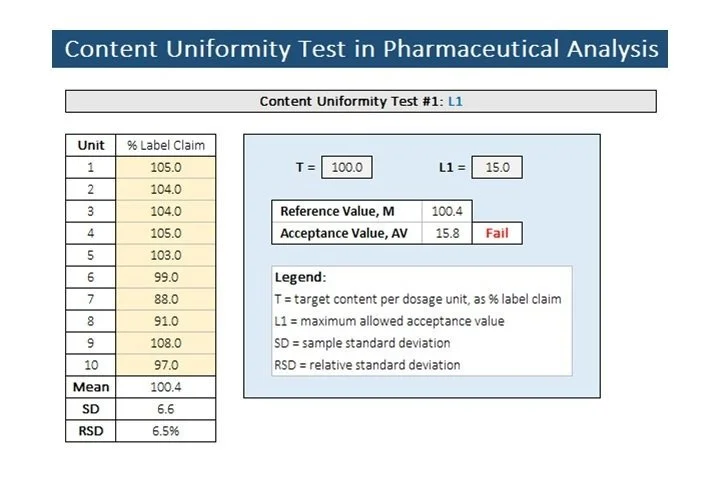
Learn how USP <905> uniformity of dosage testing works, including content uniformity and weight caration methods, acceptance value calculations, and Excel templates for pharmaceutical analysis
Step-by-step guide for calculating USP <905> content uniformity and acceptance value (AV) in Excel with downloadable spreadsheet template
Learn how USP <905> weight variation testing is performed in pharmaceutical analysis, including acceptance criteria, calculations, and downloadable calculator template.
Understand tablet scoring requirements for pharmaceutical products, including regulatory guidance, dissolution considerations, content uniformity, and functional score evaluation.
Learn how to evaluate tablet splitability by calculating loss of mass. Includes Excel calculator.
Understand USP <1216> tablet friability testing including loss of mass calculations, aceptance criteria. Includes automated loss of mass calculator.
Raw data from Empower typically contains a ton of information that we do not need and extracting the important data can be a time-consuming task.
Learn how to use the F1 & F2 dissolution calculator to compare similarity factors in drug release profiles. Simple guide on how to use the Excel tool.
Learn how to calculate void volume in liquid chromatography using a simple formula and excel calculator. Step-by-step guide for analytical chemists and QC labs
Learn how to calculate dissolution profile similarity factors f1 and f2 using Excel. Includes formulas, examples, and downloadable calculator template
Mass Spectrometry
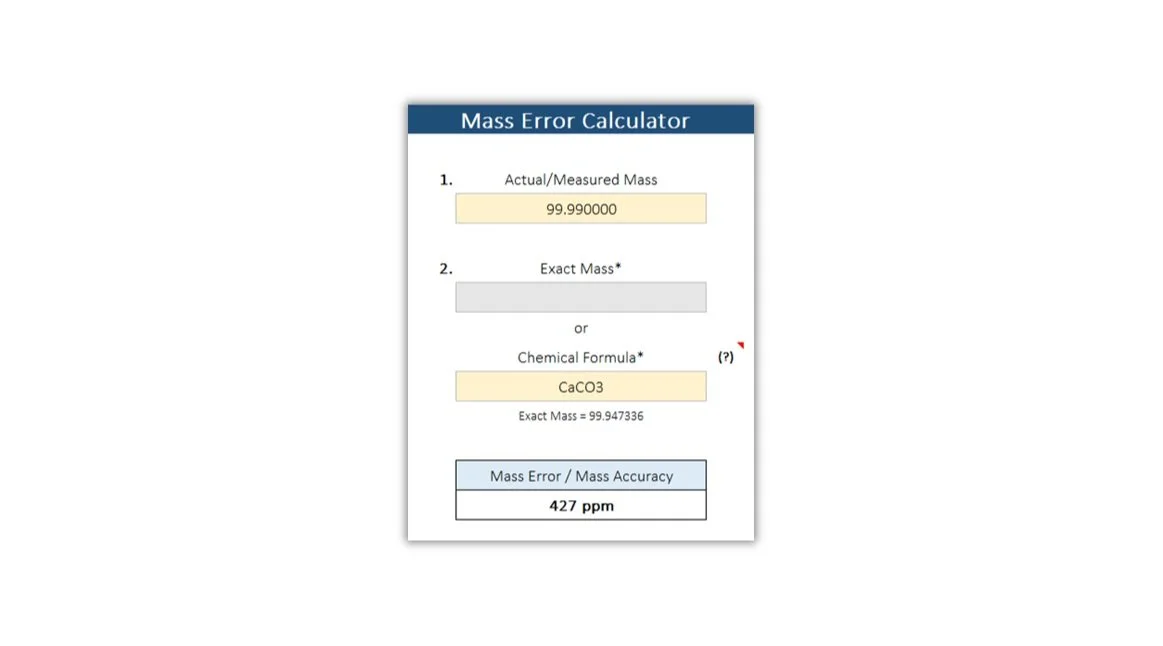
Mass accuracy in HRMS refers to the precision and correctness with which the mass spectrometer measures the m/z of ions. It quantifies the degree to which the measured m/z values of ions correspond to their true or expected values.
While a triple quadrupole mass spectrometer offers excellent selectivity, there remains a possibility of a compound other than the target analyte to produce a signal with a similar m/z value to the qualifying or quantifying ion at the same retention time.
The monoisotopic mass, also known as the exact mass of a molecule, is determined by adding the exact masses of the most abundant isotopes of its component elements.
Analysis of chemical compounds by liquid chromatography-tandem mass spectrometry (LC-MS/MS) in complex samples presents unique challenges that should be considered.
Microsoft Excel for Scientists
Excel provides several functions to calculate standard deviation, a statistical measure of the dispersion of values in a dataset. In this article, we'll explore and compare the usage of three commonly employed functions: STDEV, STDEVP, and STDEVS.
Significant figures help maintain the accuracy and reliability of mathematical operations. When performing arithmetic operations like addition, subtraction, multiplication, and division, it's vital to retain the appropriate number of significant figures to reflect the accuracy of the measurements involved.
Calibration curves are indispensable tools in analytical chemistry, serving as a cornerstone for quantifying unknown concentrations of compounds in various samples. In this article, we'll explore what calibration curves are, how they work, and their significance in analytical chemistry.
In GMP, documentation is important. Your Excel spreadsheet should be created and maintained following good documentation processes. Read the following tips that you can follow in order to guarantee data precision and adherence to regulations.
In the laboratory, data integrity is paramount, especially in industries subject to GMP regulations. Excel spreadsheets have become indispensable tools for data management, analysis, and reporting. These spreadsheets must undergo a rigorous process of validation to ensure regulatory compliance.
Raw data from Empower typically contains a ton of information that we do not need and extracting the important data can be a time-consuming task.
In this article, we'll explore three powerful features within pivot tables that can help enhance your data analysis process.
Microsoft Excel includes lots of keyboard shortcuts that can make the process go faster, allowing you to move from one task to the next quickly and efficiently.
Learn how to quickly and easily adjust the width of your columns in Excel so that you can view your data perfectly. No more manual resizing!
Creating a dropdown list in Microsoft Excel can be a useful tool for scientists to efficiently manage and organize their data.
Sorting data in Excel is a fundamental operation that helps scientists arrange their data in a specific order, making it easier to analyze and draw insights.
Scientists often have to work with large datasets, and pivot tables can help make sense of this data by aggregating and transforming it into meaningful information.
Removing duplicates in Excel is a key task for scientists. This can be especially important when working with large datasets.
Embedding an Excel file in Word allows you to include spreadsheet data directly within a Word document, making it easy to combine text and data in a single document.
Microsoft Excel is an incredibly powerful software program that has been around since 1985. It has been used in various fields from accounting to data analysis, but it is also a great tool for scientists!
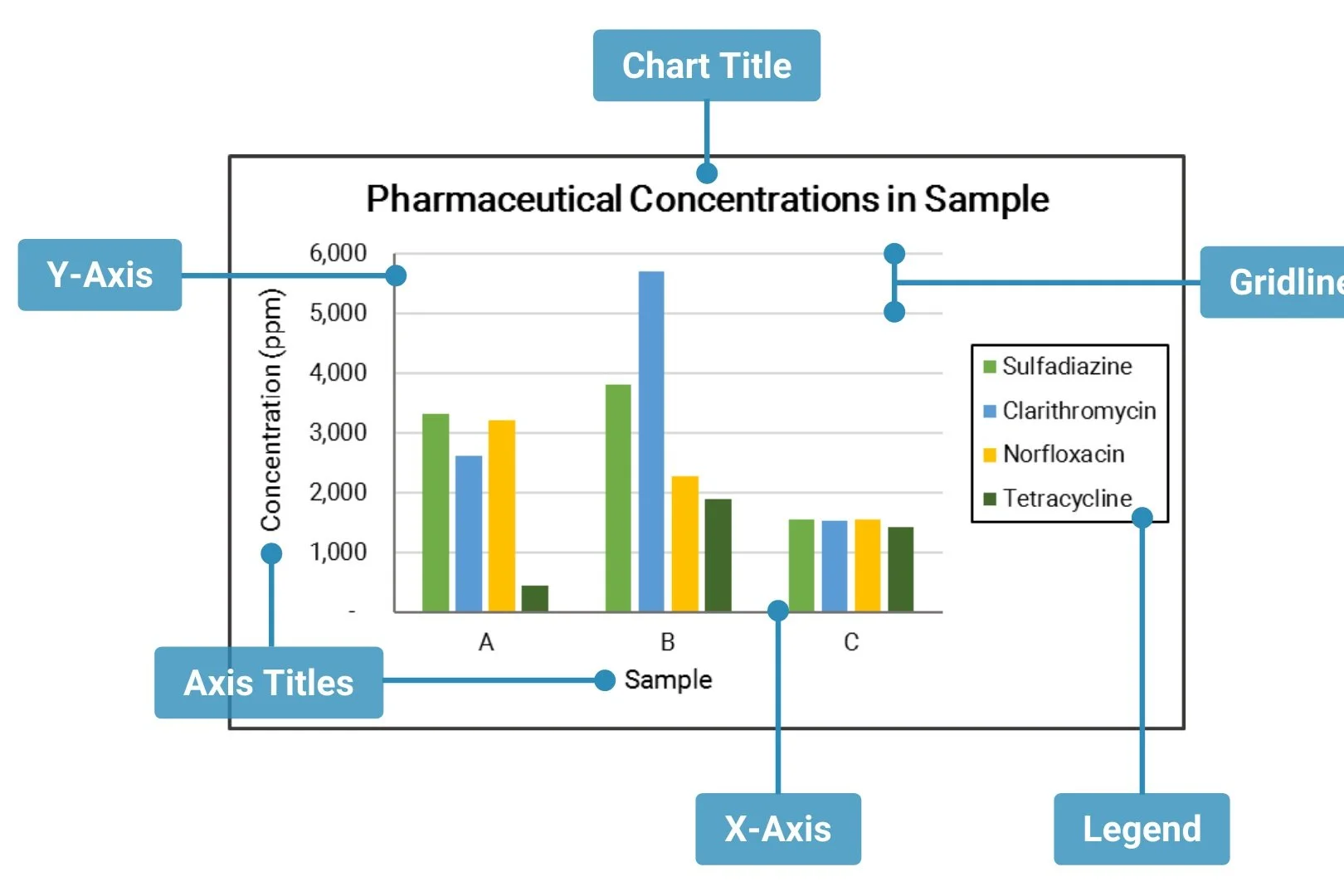
In this article, we will talk about: 4 basic chart or graph types and when to use them. As well as 3 ways to create and layout your charts in Excel.
To keep your columns and rows in place, use freeze panes in just two easy steps!
Software for Scientists
GraphPad, a renowned software platform, has emerged as a powerful and user-friendly tool for graphing and statistical analysis. In this article, we will explore the multifaceted utility of GraphPad in the pharmaceutical sector.
In science, engineering, and everyday calculations, precision matters. Understanding significant figures is essential because these figures not only convey the accuracy of a measurement but also reflect the level of confidence one can have in the result.
GraphPad Prism is a powerful software tool widely used for scientific and statistical analysis. It offers a range of features for creating different types of graphs, including dissolution graphs.
The Magic Wand tool in GraphPad Prism allows you to apply a specific analysis or format from one data table or graph to another without having to manually repeat the process.
Here are some tips to achieve visually appealing and informative graphs using GraphPad Prism.
Enroll in our Data Processing in Excel course for Scientists for only $99!
In the laboratory, data integrity is paramount, especially in industries subject to GMP regulations. Excel spreadsheets have become indispensable tools for data management, analysis, and reporting. These spreadsheets must undergo a rigorous process of validation to ensure regulatory compliance.