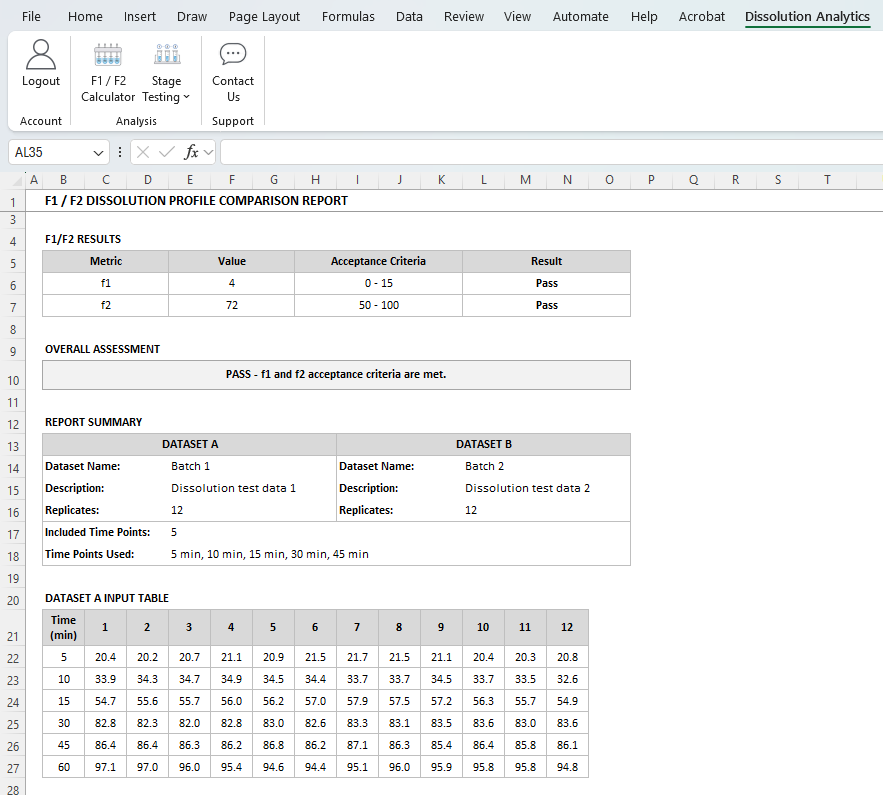
Step 1: Select F1 / F2 Calculator
From the Dissolution toolbar, click F1 / F2 Calculator.

Open the F1 / F2 Calculator from the Dissolution toolbar.
Step 2: Complete the input table setup form
Select the Number of Replicates, Number of Time Points, and Time Unit, then click OK. If a required selection is missing, complete the item identified in the validation message and click OK again.
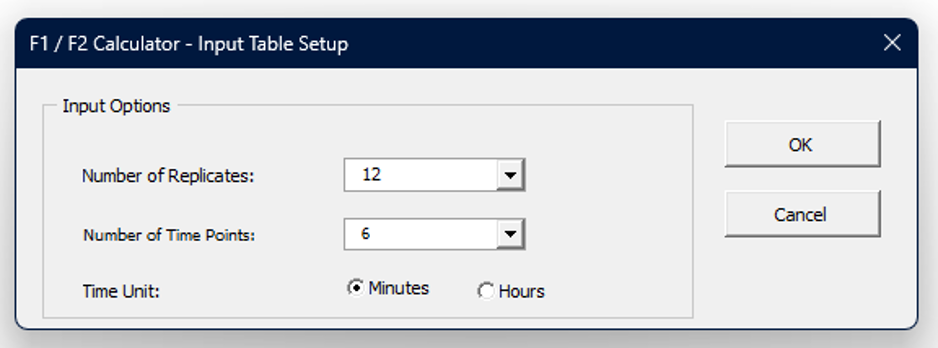
Choose the setup values required for the comparison.
Step 3: Enter the dissolution data inputs
Enter Dataset Name and Description as applicable. Enter time points and dissolution values for Dataset A and Dataset B in the designated yellow input cells. Click Next.
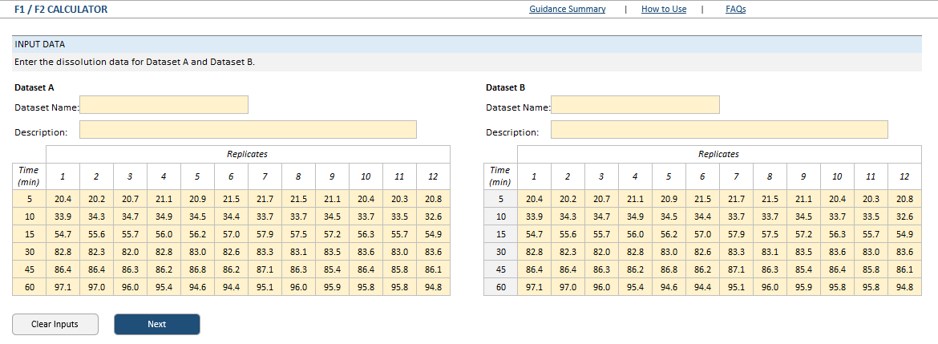
Enter time points and dissolution values for both datasets.
Step 4: Select filter options and calculate F1 and F2
The calculated Mean and RSD values will be displayed. You can either use the Auto-exclude feature as per FDA guidance, or manually select the time points to include. The Guidance Check feature automatically updates in real time depending on the time points selected. Click calculate.
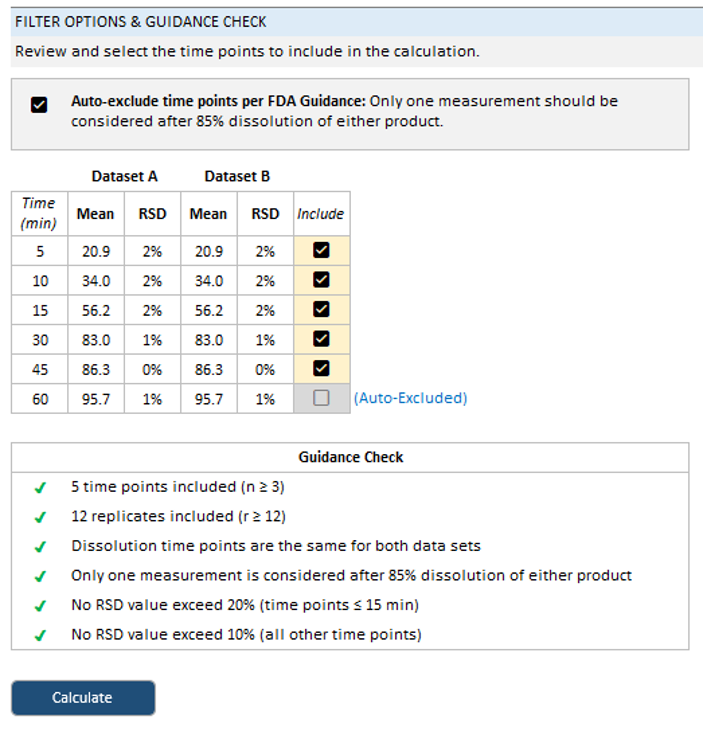
Review Mean/RSD values and select the time points to include.
Step 5: Review Results
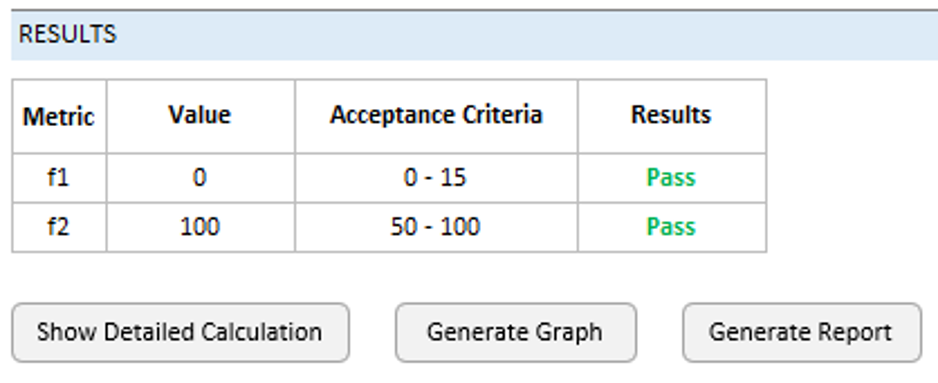
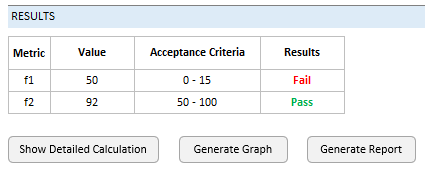
Results will be displayed in the table.
Additional Features
Show Detailed Calculation
Click the Show Detailed Calculation button to see each step of the calculation worked out with your data
Generate Graph
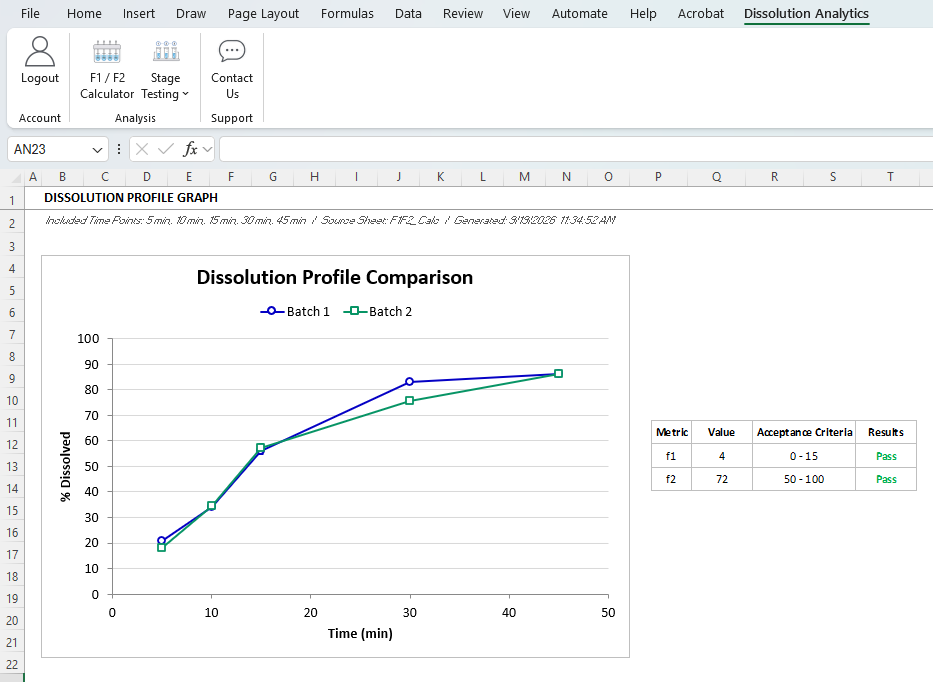
Click the Generate Graph button to generate a graph of the dissolution profiles
Generate Report
Click the Generate Report button to generate a report that shows the raw data and final results